Get started
Upload your original food photo to ChatGPT, copy the prompt below, and generate your enhanced image.
- Open ChatGPT.
- Upload your image when required.
- Copy the prompt below and submit it.

Transform ordinary food photos into appetizing, professional images for restaurant menus, social media, and marketing.
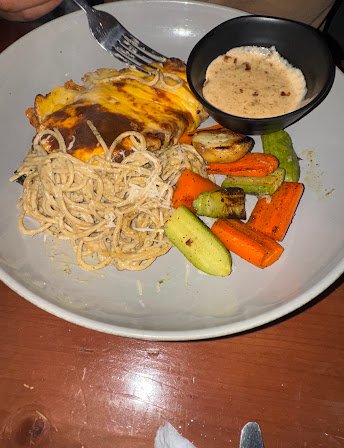
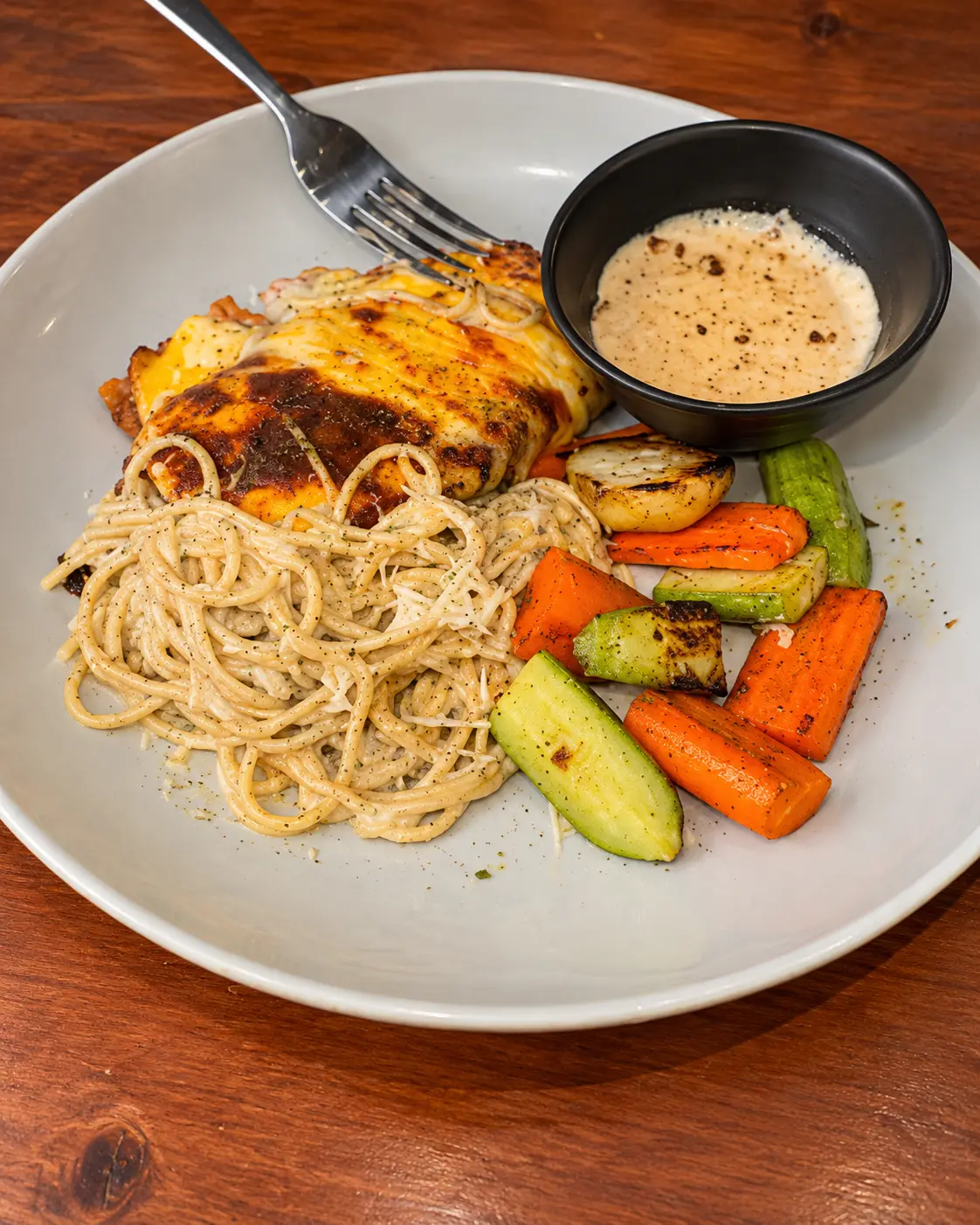
Upload your original food photo to ChatGPT, copy the prompt below, and generate your enhanced image.
Transform ordinary food photos into appetizing, professional images for restaurant menus, social media, and marketing.
/food-photo
Use this prompt with your own image in ChatGPT.
# /food-photo — Food Photo Enhancer

Act as a professional restaurant food photographer specializing in commercial food photography for restaurant menus, Google Business Profile, and social media.

Transform the uploaded food photo into a high-quality, realistic commercial food photograph.

**Main objectives:**

- Improve lighting, exposure, white balance, contrast, and sharpness.
- Enhance the natural texture and color of the food.
- Make the dish look fresh, appetizing, and professionally photographed.
- Improve composition and visual balance while preserving the original presentation.
- Use natural-looking light, realistic shadows, and professional food photography techniques.

**Strict preservation rules:**

- Preserve the exact dish, ingredients, portion size, and food arrangement.
- Do not add, remove, replace, or invent ingredients.
- Do not change the plate, serving dish, or important details of the original scene.
- Do not create artificial textures, excessive saturation, or an unrealistic glossy appearance.
- Keep the final image natural and believable.

**Professional camera angle and composition:**

- Choose a professional three-quarter camera angle, approximately 30–45 degrees above the table, as the default for dishes with visible height and multiple ingredients.
- Select the camera angle that best presents the specific dish. Use overhead photography for flat dishes and a lower angle for tall or layered dishes when appropriate.
- Make the food look naturally photographed by a professional restaurant photographer, not like an isolated object viewed from an arbitrary position.
- Show the natural depth, volume, and texture of the food.
- Keep the main dish visually prominent, with a balanced composition and realistic perspective.
- Preserve the original ingredients, portion size, serving dish, and recognizable presentation.
- Do not create physically impossible camera perspectives, floating plates, or unnatural shadows.

**Output:**
Produce one polished, photorealistic image suitable for a restaurant menu and online business profile. Prioritize authenticity and food accuracy over dramatic effects.

**Output format and composition:**

- Create the final image in a vertical 4:5 aspect ratio, targeting 1080 × 1350 pixels.
- Recompose the image naturally for a portrait layout.
- Keep the entire dish visible and visually prominent.
- Preserve the original food, ingredients, portion size, plate, and serving details.
- Extend the surrounding background naturally when needed instead of cropping important parts of the dish.
- Avoid awkward cropping, excessive empty space, and distorted proportions.
- Keep the composition suitable for restaurant menus and Instagram feed posts.

**Important:** Prioritize the requested 4:5 aspect ratio. If the image generation tool cannot produce the exact pixel dimensions, preserve the 4:5 ratio and resize the final image separately if necessary.
Copy the prompt, open ChatGPT, upload your image, and submit the prompt.
We can help create advertising images for your products, restaurant, website, or social media.