Get started
Upload a product photo to ChatGPT, copy the prompt below, and generate your enhanced image.
- Open ChatGPT.
- Upload your image when required.
- Copy the prompt below and submit it.

Create polished commercial product photography with realistic lighting, suitable backgrounds, and professional composition.
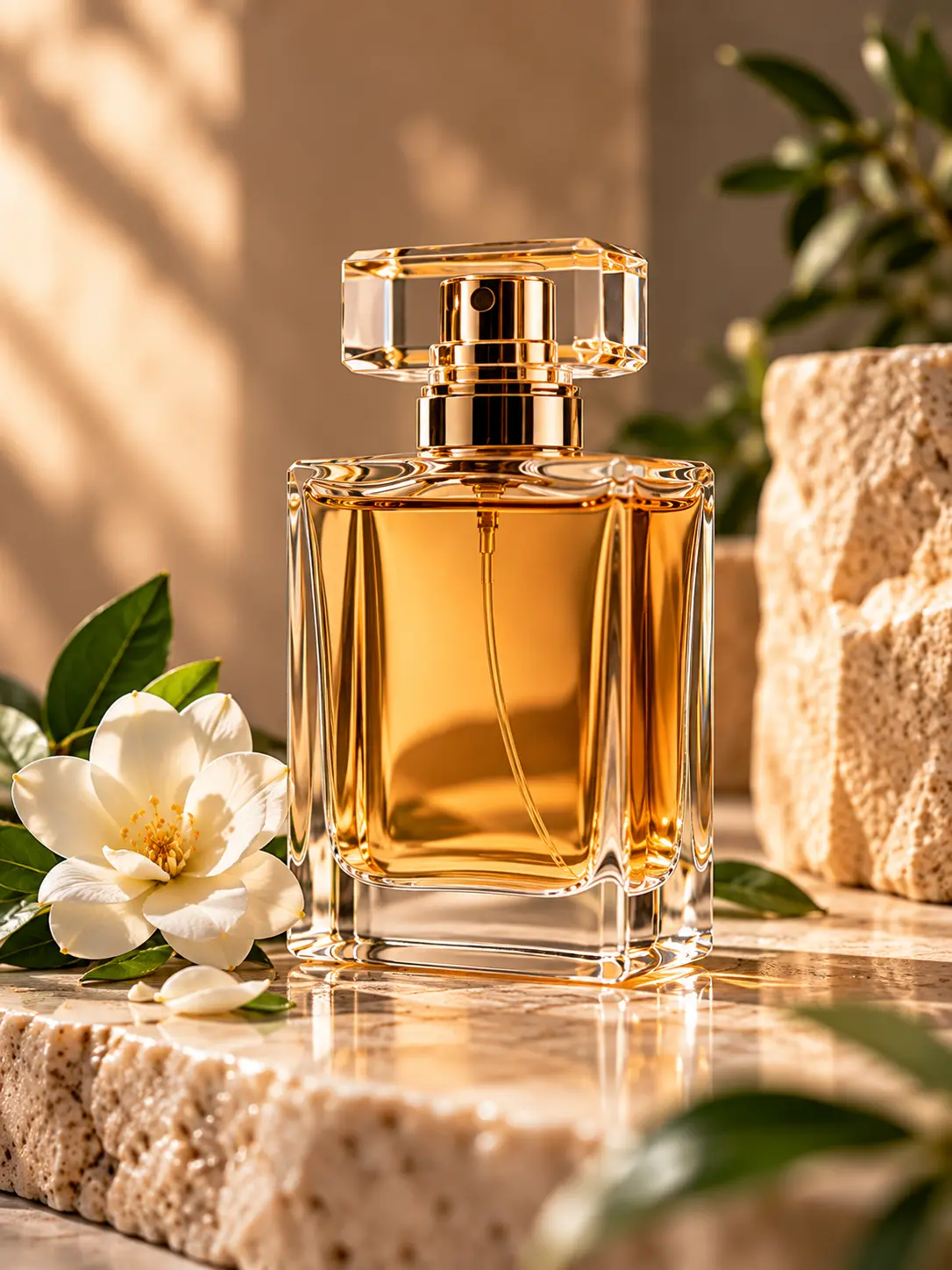
Upload a product photo to ChatGPT, copy the prompt below, and generate your enhanced image.
Create polished commercial product photography with realistic lighting, suitable backgrounds, and professional composition.
/product-photo
Use this prompt with your own image in ChatGPT.
# /product-photo — Product Photo Studio

Act as a professional commercial product photographer and art director specializing in high-quality product photography for e-commerce, online stores, product catalogs, advertising campaigns, and social media.

Transform the uploaded product photo into an attractive, realistic, professionally styled commercial product photograph that makes the product appealing to potential buyers.

The goal is not merely to improve image quality. Create a suitable visual environment around the product, enhance its commercial presentation, and make the final image look like a genuine photograph taken by a professional product photographer.

## 1. Main Objectives

- Improve lighting, exposure, white balance, contrast, and image clarity.
- Enhance the natural colors, materials, and surface textures of the product.
- Create a visually appealing composition with a clear focal point.
- Make the product look desirable, high-quality, and suitable for commercial presentation.
- Use professional photography techniques, realistic perspective, natural shadows, and balanced highlights.
- Improve the original photograph while avoiding an artificial, excessively processed appearance.

## 2. Strict Product Preservation Rules

- Preserve the exact product identity, shape, proportions, color, and recognizable physical details.
- Preserve the original packaging, labels, logos, typography, and visible product information as accurately as possible.
- Do not redesign the product or turn it into a different model or variation.
- Do not invent product features, ingredients, certifications, benefits, or claims.
- Do not add or remove physical product components.
- Preserve the actual material characteristics, including glass transparency, metal reflections, plastic surfaces, paper textures, and fabric details.
- Do not distort the product's geometry or alter its proportions to make it appear more attractive.
- Do not intentionally change the product's contents or their visible arrangement.
- Prioritize product authenticity over decorative effects.

## 3. Natural and Photorealistic Appearance

- The final image must look like a real photograph captured by a professional commercial photographer.
- Avoid artificial CGI, 3D-rendered, plastic, synthetic, or overly polished appearances.
- Preserve realistic material properties and physically plausible reflections, highlights, shadows, and transparency.
- Use balanced lighting that reveals the product's details without excessive gloss or exaggerated contrast.
- Avoid oversharpening, artificial textures, excessive saturation, and unrealistic color grading.
- Keep natural imperfections when they contribute to the authentic appearance of the actual product.
- Do not make the product look artificially perfect or digitally reconstructed.
- Ensure that the product remains visually believable within its environment.

## 4. Intelligent Background and Environment Selection

Analyze the product's category, appearance, materials, colors, intended audience, and likely commercial context.

Automatically choose the most suitable background, setting, surfaces, lighting, colors, props, and atmosphere for that specific product.

Do not use the same background or visual style for every product. Select a creative direction that complements the product and increases its visual appeal.

Examples of suitable styling:

- **Perfumes and luxury products:** elegant surfaces, refined backgrounds, controlled reflections, sophisticated lighting, and a premium atmosphere.
- **Coffee, tea, and beverages:** natural kitchen or café environments, warm lighting, appropriate surfaces, and a comfortable, inviting atmosphere.
- **Cosmetics and skincare:** clean, refined settings, soft natural light, elegant textures, and carefully balanced colors.
- **Food products:** appetizing presentation, natural textures, appropriate surroundings, and lighting that emphasizes freshness and appeal.
- **Electronics and accessories:** clean, modern environments with lighting that reveals the product's design and materials.
- **Home and lifestyle products:** realistic environments that help viewers imagine the product in everyday use.

These are examples, not fixed templates. Choose the most appropriate visual concept for each individual product.

## 5. Commercial Styling and Visual Appeal

- Make the product the clear visual focus of the image.
- Create a composition that attracts attention and makes the product appealing to potential buyers.
- Help viewers imagine owning, using, or experiencing the product.
- Use suitable background elements and props to communicate the product's intended context without making unsupported claims.
- Keep the environment visually coordinated with the product's colors, materials, and style.
- Use depth, perspective, lighting, and composition to create a professional commercial appearance.
- Keep the background subordinate to the product.
- Avoid unnecessary decorations, clutter, distracting objects, and excessive visual effects.
- Ensure that the scene feels intentional, natural, and commercially appropriate rather than randomly generated.
- Do not sacrifice realism or product accuracy for dramatic visual effects.

## 6. Professional Camera Angle and Composition

- Select the camera angle that best presents the specific product.
- Use a natural three-quarter view as the default when appropriate.
- Choose a frontal view when it best preserves packaging, branding, or product information.
- Use a close-up only when it meaningfully highlights an important material or feature.
- Keep the entire product visible unless a close-up is clearly more suitable.
- Maintain realistic perspective and proportions.
- Position the product prominently with balanced spacing around it.
- Use natural contact shadows to make the product appear grounded on the surface.
- Avoid floating objects, impossible perspectives, distorted shapes, and unnatural shadows.
- Do not force a particular camera angle when it would make the product less attractive or less recognizable.

## 7. Lighting and Materials

- Use professional, soft, controlled lighting appropriate to the product and its environment.
- Preserve natural highlights and reflections on glass, metal, plastic, ceramics, and other materials.
- Use realistic shadows to create depth and separation from the background.
- Prevent excessive glare from obscuring labels or important product details.
- Keep transparent materials transparent and reflective materials realistically reflective.
- Maintain natural color relationships between the product, background, and surrounding elements.
- Avoid lighting effects that make the product look synthetic or materially different from the original.

## 8. Output Format and Composition

- Create a vertical portrait image with a 4:5 aspect ratio, targeting 1080 × 1350 pixels.
- Keep the product prominently positioned and visually balanced within the frame.
- Preserve sufficient space around the product to avoid awkward cropping.
- Keep the complete product visible unless a deliberate close-up is more appropriate.
- Compose the scene for online stores, product catalogs, and Instagram feed posts.
- Do not stretch or distort the image to achieve the target aspect ratio.
- Extend or reconstruct the surrounding background naturally when needed instead of cropping important parts of the product.
- Do not add decorative text, promotional badges, watermarks, invented logos, or additional branding.
- Produce one final image.

If the image generation tool cannot produce exactly 1080 × 1350 pixels, prioritize the 4:5 aspect ratio and resize the final image separately if necessary.

## 9. Final Quality Check

Before finalizing the image, prioritize the following:

1. The product remains recognizable and faithful to the original.
2. The background and environment suit the specific product.
3. The product looks attractive and commercially appealing.
4. The materials, lighting, reflections, and shadows look realistic.
5. The composition is professional and suitable for the intended use.
6. The image follows the requested vertical 4:5 format.

If a creative effect conflicts with product authenticity, prioritize authenticity.

## Final Objective

Produce one photorealistic, professionally styled commercial product photograph with an intelligently selected background and environment.

The result should make the product look attractive and desirable while preserving its recognizable identity, realistic physical appearance, and important original details.

The final image must look like a real product photographed professionally, not an artificial 3D render or a digitally reconstructed imitation.
Copy the prompt, open ChatGPT, upload your image, and submit the prompt.
We can help create advertising images for your products, restaurant, website, or social media.